
SHEAR CORRECTED DROP TEXTURES
ADOBE SUBSTANCE 3D DESIGNER
32K DROP PATTERN OUTPUT
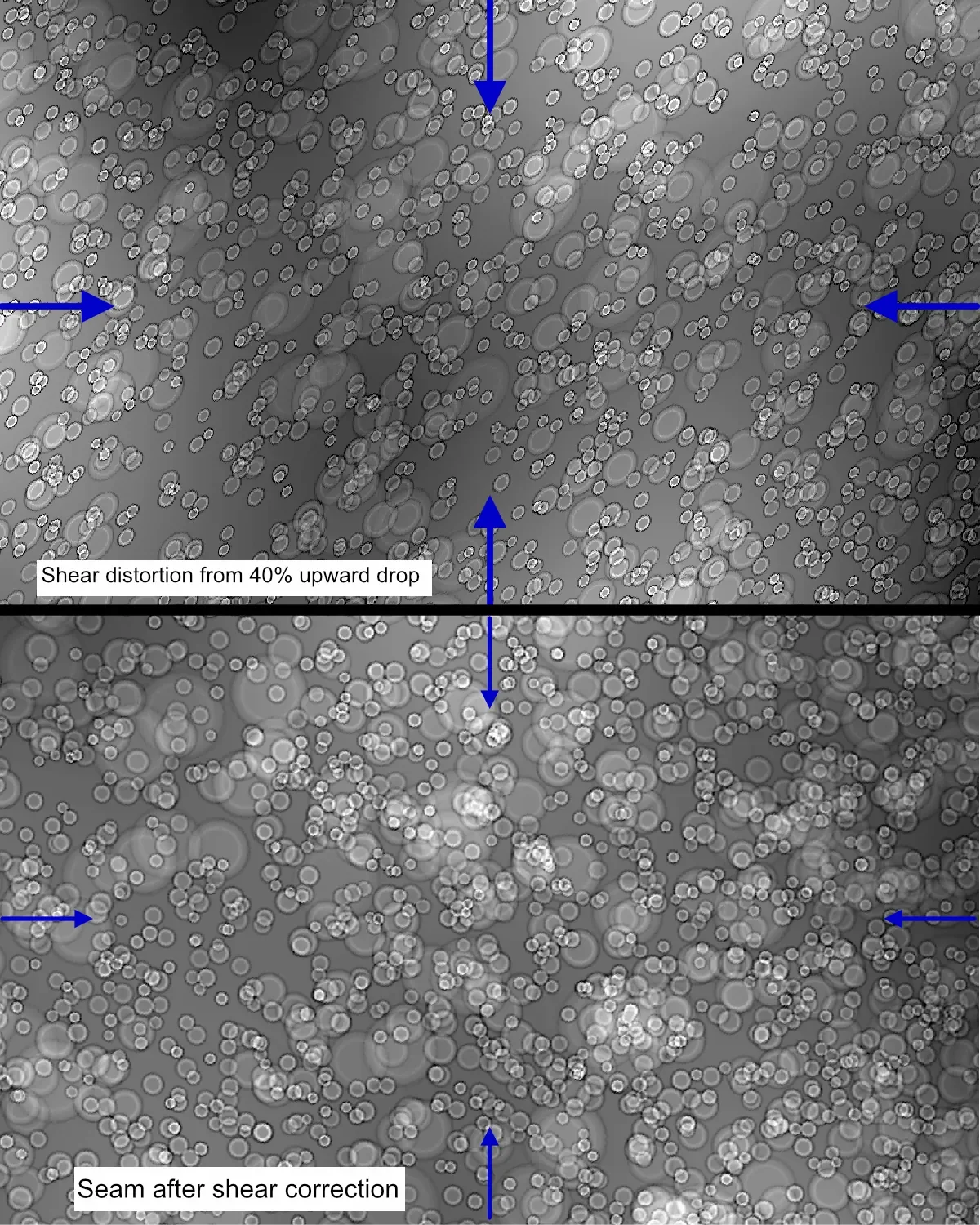
The top image shows the shear created by the pattern drop.
The bottom image shows how this distortion is corrected by directional warp.
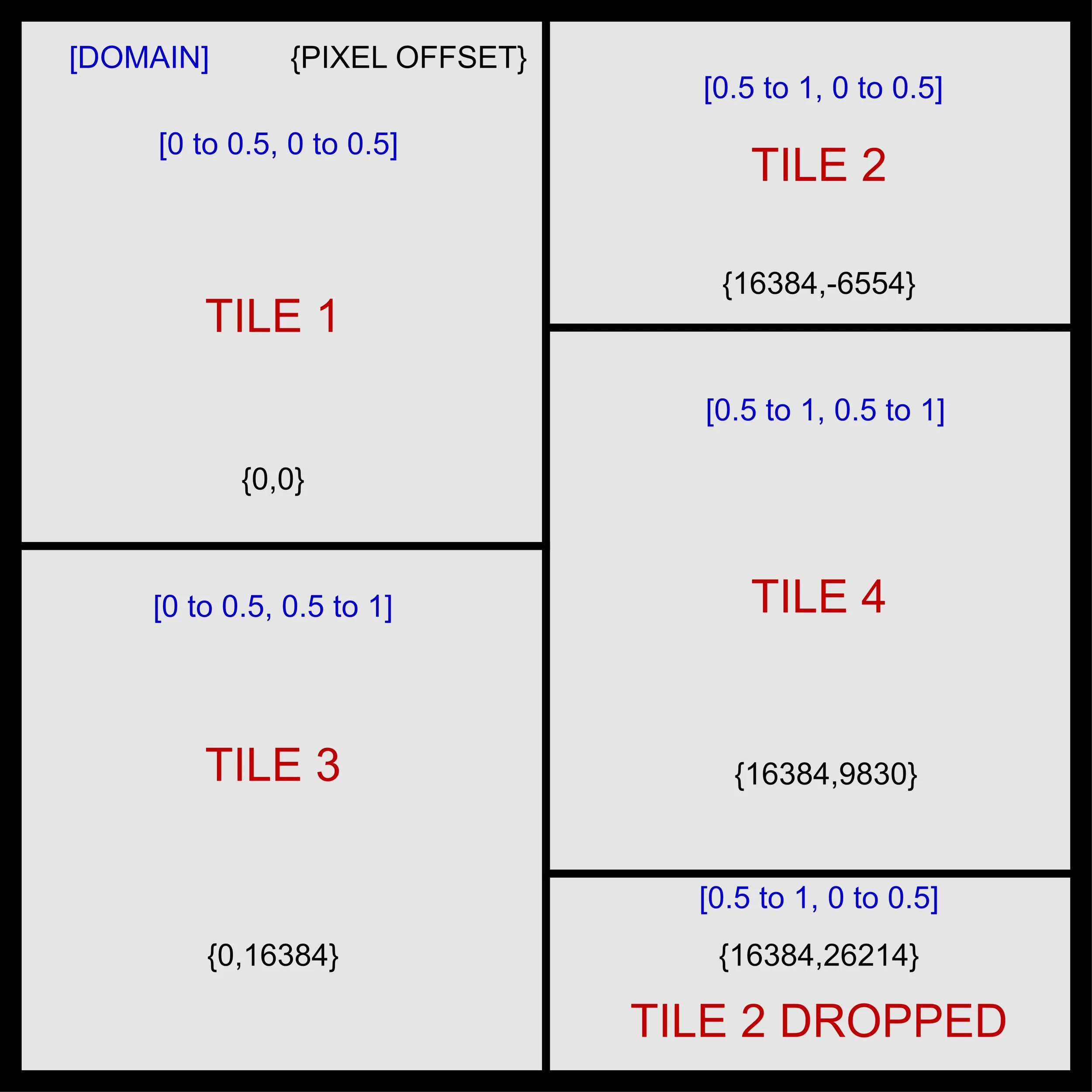
Quadrants defined for 32K drop pattern construction.
Objective
Develop a method to form distortion free procedural drop textures for industrial engraving. Drop patterns are commonly used to break repeats.
Mechanics
Due to the boundary condition:
f (0,y) = f (1,y-ax) where a is the drop fraction in this case 0.4
there is an inherent distortional shear at the exact angle of the pattern drop.
With Adobe Substance, a directional warp is used to exactly counteract this shear, at an angle negative to the drop, (in this case -21.8 degrees). The warp strength is then adjusted to eliminate distortion.
To increase pattern detail or size, the sbsrender.exe file is called from a batch file, enabling direct writing of 16K output files.
By sampling the domain in 4 quadrants, writing these 4 different domain files, then putting them back together at the proper offsets, a mathematically seamless drop texture of 32K is constructed.
To make this process easier, the attached batch file, Carve_4_tiles.bat enables input of Domain_X and Domain_Y into the pixel processor, then writes the necessary 4 quadrant tiles to the disk.
Bypassing Adobe’s 8K Hard Cap
The native max output of Adobe 3D Substance is 8K, not enough for industrial engraving applications.
The one-click batch file, run_stitcher.bat, runs the Python script bridging the domain outputs into a single 32K seamless drop file.
Over 1 billion pixels are processed directly in system RAM quickly and efficiently, with 16-Bit, LZW tiff compressed output.
Be Creative
Put your own designs in the engine. See increased detail and break-up repeat patterns.
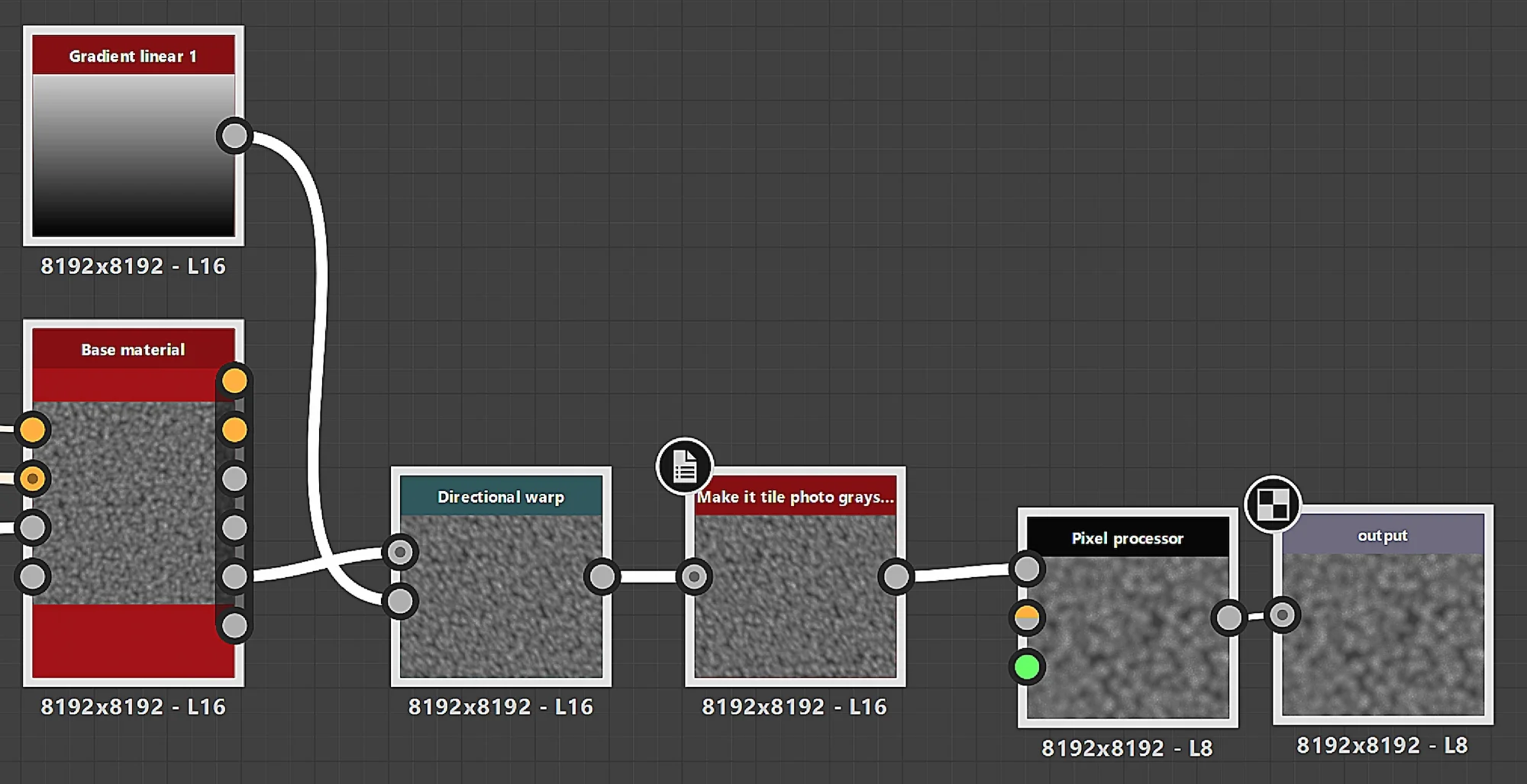
Engine Node Structure
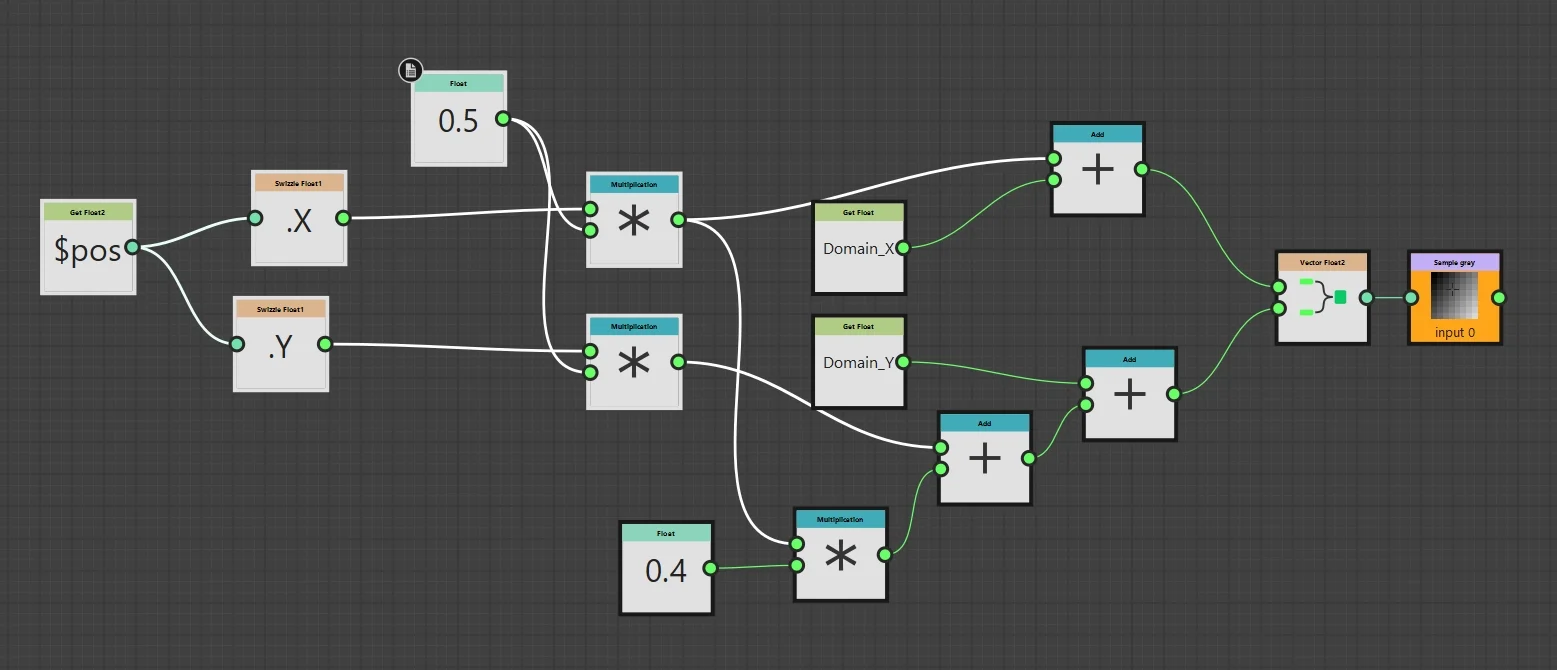
Pixel Processor Function to read Domain variables and drop the pattern.
Run Setup_Python.bat and Install_libraries.bat. Put sitich_32K_drop_matrix.py on the desktop.
Modify remap_engine_drop_shear_corrected.sbs for your design. Publish the sbsar file to the desktop.
Run Carve_4_tiles.bat to make the 4 quadrants.
Run run_stitcher.bat to put these files together.