
128K Pixel Output Engines
(Blender/ Adobe Substance 3D Designer)
Engravers need high resolution output to produce quality engravings.
If necessary, this method can be scaled to 300K using BigTIFF file formats.
Scale procedural patterns across expansive surfaces without visible tiling, resolution loss, or raster memory crashes.
Mechanics
The quadrant offsets are automatically fed into the texture script using;
u = a · x + bᵤ
v = a · y + bᵥ
where a is the domain scale and b the offset matrix.
Blender has 32K output from the emission shader:
64K model a = 0.5 b = {0,.5}
4 quadrants
128K model a = 0.25 b = {0,.25,.5,.75}
16 quadrants
Substance has 16K output when called from the command line:
64K model a = 0.25 b = {0,.25,.5,.75}
16 quadrants
128K model a = 0.125 b = {0,.125,.25,.375…}
64 quadrants
Each quadrant is written to disk.
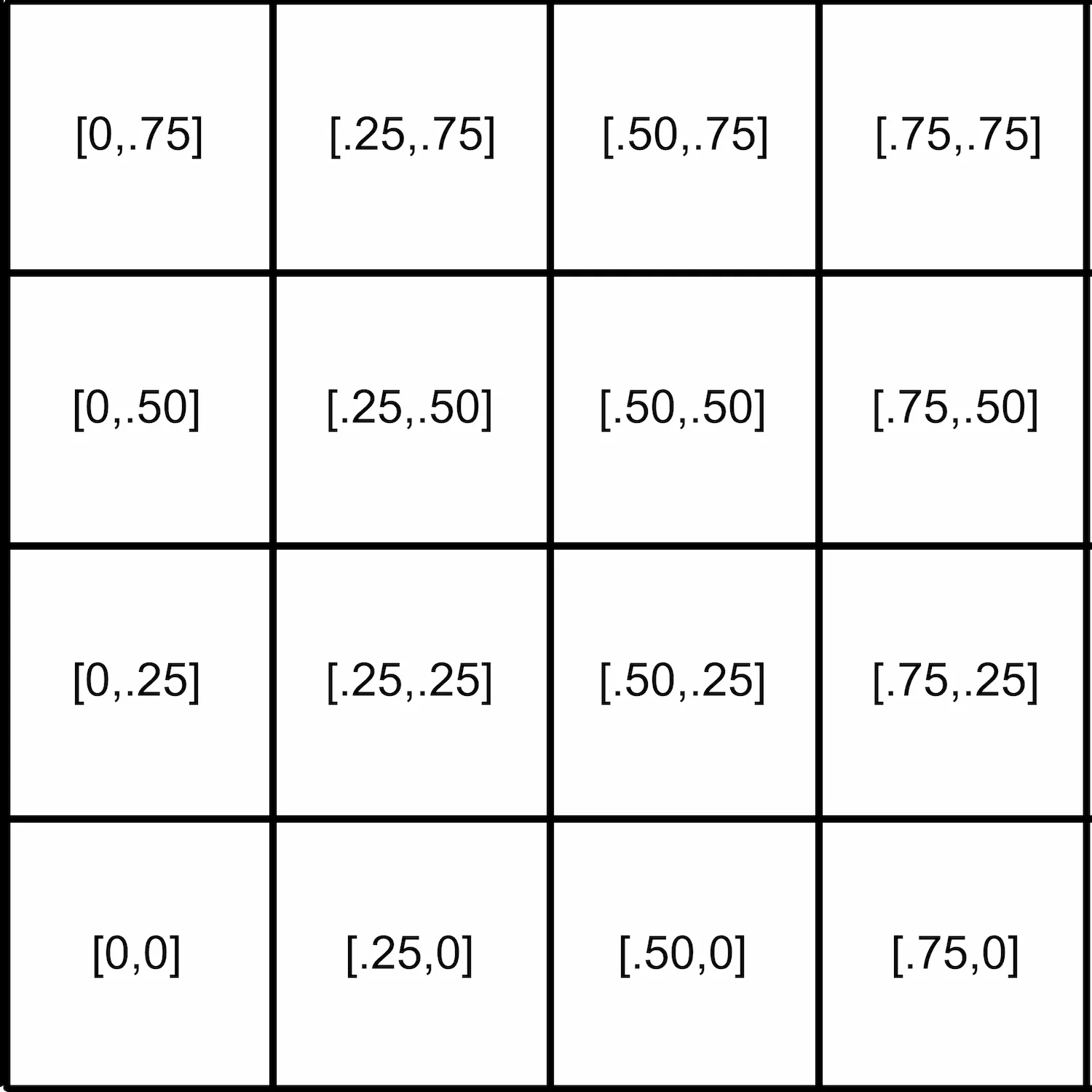
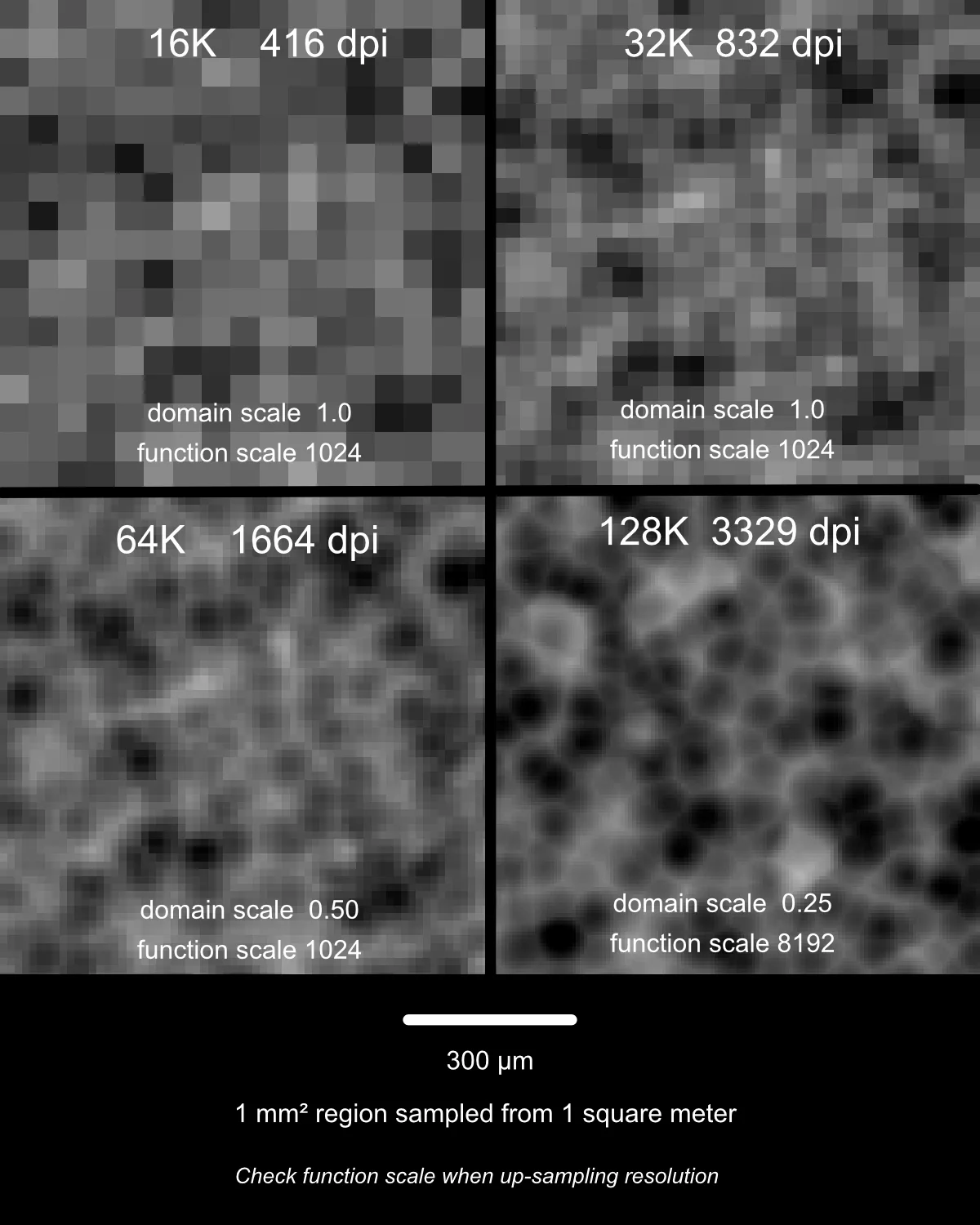
To reduce raster errors, the output size should be a multiple of the function scale.
The first step is to run the pattern generation or carver scripts to write the quadrants to the disk. The next step is to stitch the quadrants together making a single file. Two options are given.
Interim limit (< 4.2 GB): Keeps intermediate files below the standard 32-bit TIFF boundary, allowing the use of non-Photoshop image tools. This requires assembling four 64K sections to produce the final 128K file.
BigTIFF single pass: Utilizes the BigTIFF 64-bit format to stitch all sections in one pass; however, Photoshop (or compatible software) is required to open files of this scale.
It should be noted that 128K 8-bit grayscale data is 17.1 GB uncompressed. As such, managing memory during computation is critical.
Two key libraries are referenced:
libvips, vips-dev (fast streaming quadrants): It streams raw uncompressed pixel chunks from the quadrants then applies LZW compression to keep the 64K quadrants under the 4.2 GB TIFF limit, necessary for non-Photoshop pixel programs.
NumPy and tifffile (Memory mapped 128K BigTIFF): Used for single-file master assemblies by mapping disk space directly into virtual memory (np.memmap), allowing the script to write directly to the SSD without loading the entire canvas into RAM.
Pipeline scripts and memory architecture co-developed and optimized with Gemini AI assistance.
Hardware Requirements
Using streamed chunk pipelines and out-of-core memory mapping, these scripts compile the 17.1 GB dataset on a modest workstation equipped with 32 GB of RAM and an SSD with at least 100 GB of free workspace.
The setup and install batch files configure all necessary Python environments and image libraries automatically.
BLENDER
The 64K Python script writes each tile and stitches the final pattern directly within Blender. To generate a Photoshop-compatible master, place the BigTIFF batch file into the quadrant output directory and run.
Run the 128K carver first to output all 64 tiles. Then place and execute the stitching batch files inside the quadrant folder to build 4 interim quadrants or a unified BigTIFF master.
ADOBE SUBSTANCE 3D DESIGNER
The 64K quadrant carver must be run first. Then place the stitching batch files with the quadrant files. The BigTiff batch file is for Photoshop.
The 128K quadrant carver must be run first. Then place the stitching batch files with the quadrant files. The BigTiff batch file is for Photoshop.
Workstation & Pipeline Setup Note:
These toolkits dynamically manage memory allocation and render buffers to generate uncompressed 64K and 128K seamless masters. If your local hardware triggers a Python environment path or memory exception during execution, copy and paste your console output directly into Gemini for instant diagnostic and workstation-specific path resolution.